
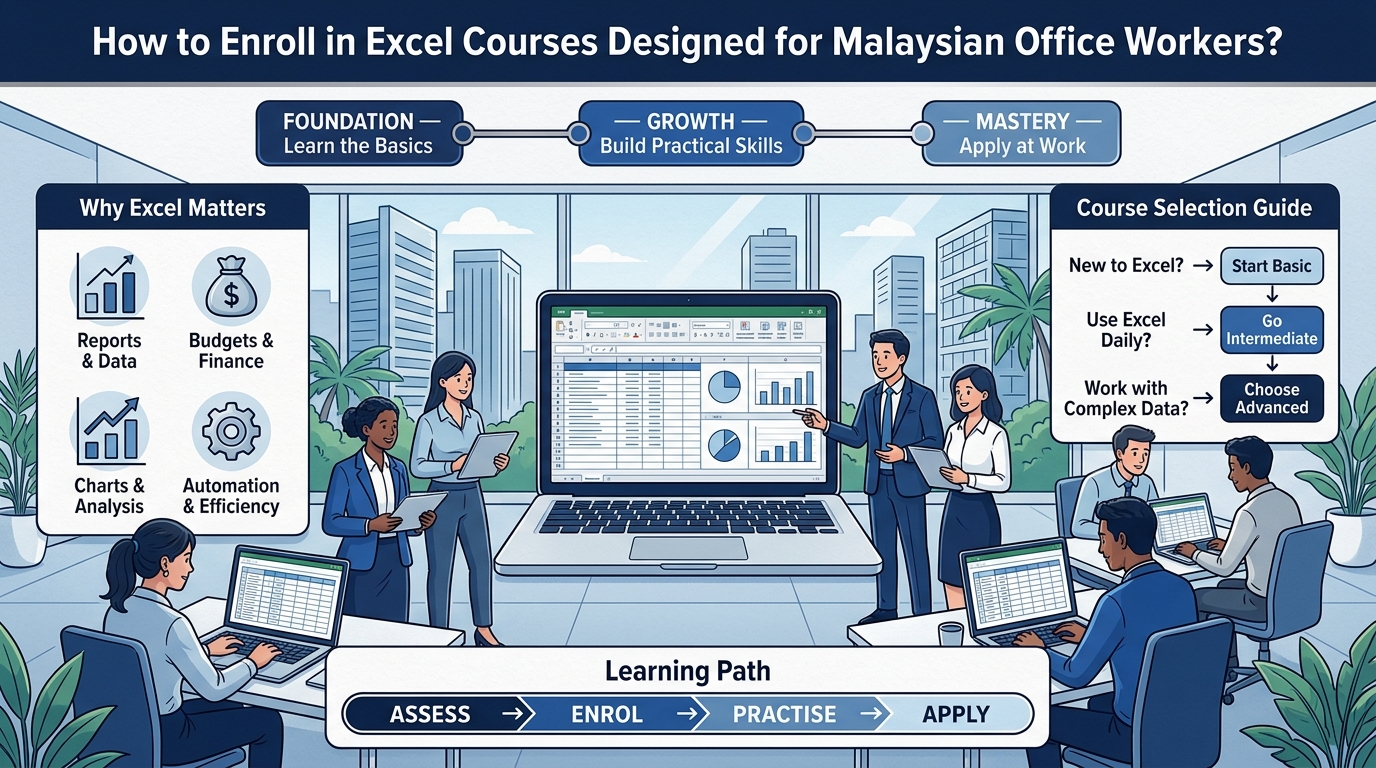
Microsoft Excel remains an important tool in many Malaysian workplaces. From preparing reports and managing budgets to analysing information and organising daily tasks, employees across different departments continue to rely on Excel for their everyday work. Even in an era where new software and digital tools are introduced regularly, Excel remains one of the most widely used business applications in offices throughout Malaysia.
However, knowing basic Excel functions is not always enough. As workplace responsibilities become more complex, employees may need to work with formulas, data, spreadsheets, charts and automation more efficiently. What was sufficient a few years ago may no longer be adequate for the demands of a modern workplace.
This is where Excel courses can help. But with different levels and training options available, how can Malaysian office workers choose and enrol in the right Excel course?
Why Are Excel Skills Important for Office Workers?
Excel is used across many different business functions, including administration, finance, sales, human resources, operations and management. Regardless of the department, employees often encounter spreadsheets in some form, whether it is for tracking tasks, preparing reports, or analysing business data.
Employees who can use Excel effectively can often complete spreadsheet-related tasks more efficiently and organise information more systematically. Instead of spending hours on manual calculations or repetitive data entry, they can use formulas and functions to complete tasks faster and more accurately.
Excel skills can help employees:
-
Organise and manage business data
-
Create professional reports
-
Perform calculations using formulas
-
Analyse information more efficiently
-
Create charts and visual reports
-
Reduce repetitive manual work
-
Improve spreadsheet accuracy
-
Present information more clearly
For office workers who use spreadsheets regularly, improving Excel skills can be a practical way to strengthen their digital workplace capabilities. It can also improve confidence when handling data-related tasks and make employees more valuable to their organisations.
Who Should Consider Taking an Excel Course?
Excel training is not limited to finance or accounting professionals. Employees from many departments can benefit from structured Excel training. In fact, Excel is used in almost every industry and job function, making it a versatile skill that can be applied in many different roles.
An Excel course may be suitable for:
-
Administrative staff
-
Finance and accounting teams
-
Human resources professionals
-
Sales and marketing employees
-
Operations teams
-
Project coordinators
-
Business executives
-
Managers and supervisors
-
Business owners
The right training level will depend on how frequently Excel is used and what employees need to accomplish with the software. Some employees may only need basic skills, while others may require advanced knowledge to handle complex data analysis and reporting tasks.
What Excel Course Level Should You Choose?
One of the first things to consider before enrolling is your current Excel knowledge. Choosing the wrong level can lead to frustration, boredom, or difficulty following the course content. Taking the time to assess your current skill level will help you select a course that matches your abilities and learning goals.
Different courses may focus on different levels of proficiency.
Basic Excel Training
Basic courses are suitable for employees who are new to Excel or mainly use simple spreadsheet functions. These courses provide a strong foundation and help learners become comfortable with the basic features of Excel.
Topics may include:
-
Creating and formatting worksheets
-
Entering and organising data
-
Basic formulas
-
Cell formatting
-
Sorting and filtering
-
Simple charts
-
Printing and sharing worksheets
This level can help employees build a strong foundation before moving to more advanced functions. It is also suitable for employees who have been using Excel informally but want to fill in gaps in their knowledge.
Intermediate Excel Training
Intermediate training is suitable for employees who already understand the basics but want to work with more complex spreadsheets. This level helps learners become more efficient and confident when handling larger datasets and more detailed reports.
Training may cover:
-
Advanced formulas
-
Conditional formatting
-
Data validation
-
Lookup functions
-
PivotTables
-
Data analysis
-
Advanced charts
-
Spreadsheet management
This can be particularly useful for employees who regularly prepare reports or work with larger datasets. Intermediate skills often make a significant difference in day-to-day productivity and accuracy.
Advanced Excel Training
Advanced Excel courses are designed for employees who need to perform more complex analysis and improve spreadsheet efficiency. These courses are suitable for employees who work extensively with data and want to automate repetitive tasks.
Depending on the course, topics may include:
-
Advanced functions
-
Complex data analysis
-
Advanced PivotTables
-
Automation
-
Macros
-
Advanced reporting
-
Spreadsheet optimisation
Employees should choose an advanced course only when the topics match their actual workplace requirements. Learning advanced functions without a practical application can make it difficult to retain the skills.
What Should Malaysian Office Workers Look for in an Excel Course?
Choosing an Excel course should involve more than looking at the course title. The content, teaching approach, and practical relevance of the course are just as important as the level.
Before enrolling, consider whether the training covers skills that are relevant to your daily responsibilities.
Look for courses that provide:
-
Practical workplace examples
-
Structured learning materials
-
Exercises and hands-on activities
-
Suitable training levels
-
Experienced trainers
-
Relevant Excel functions and features
-
Opportunities to practise what you learn
A practical course can make it easier for employees to understand how Excel skills can be applied to real workplace situations. Courses that focus on realistic scenarios are often more effective than those that only cover theory.
Why Is Practical Excel Training Important?
Reading about Excel functions is different from actually using them. Many employees understand the concept of a formula or a PivotTable, but struggle to apply it when working with real business data.
Office workers often encounter real-world situations such as preparing monthly reports, cleaning datasets, comparing information or creating management summaries. These tasks require not only knowledge of Excel functions but also the ability to apply them correctly in different situations.
Practical exercises can help employees understand how different Excel functions work together. For example, instead of simply learning what a PivotTable does, employees can practise using one to summarise business data. This hands-on approach helps reinforce learning and makes it easier to remember how to use the feature after the course.
This approach can make training more relevant and easier to apply after the course.
How Can Excel Training Improve Workplace Productivity?
Employees may spend significant amounts of time performing repetitive spreadsheet tasks. Without sufficient Excel knowledge, some tasks may require unnecessary manual work, which can lead to errors and wasted time.
Improved Excel skills can help employees:
-
Complete calculations more efficiently
-
Analyse information faster
-
Reduce repetitive data entry
-
Create reports more systematically
-
Find information more easily
-
Improve spreadsheet organisation
-
Present business information more clearly
The goal is not simply to learn more Excel functions. It is to understand how those functions can be used to work more effectively. Employees who can work faster and more accurately with spreadsheets can contribute more value to their teams and organisations.
Should Companies Enrol Employees in Excel Training?
Excel training can also be useful as part of an organisation’s employee development programme. Many companies invest in training to improve employee skills, productivity, and job satisfaction.
Instead of expecting employees to learn new spreadsheet skills independently, companies can provide structured training based on their actual workplace needs. This ensures that employees learn relevant skills and can apply them immediately to their work.
For businesses, Excel training can help employees develop more consistent approaches to:
-
Data management
-
Reporting
-
Spreadsheet preparation
-
Business analysis
-
Information presentation
-
Administrative tasks
Training can also be structured for different employee groups depending on their existing skill levels. This allows companies to target training where it is needed most and ensure that all employees have the skills required to perform their roles effectively.
How Do You Choose the Right Excel Course?
Before enrolling, ask a few important questions. These questions will help you identify the most suitable course for your needs and ensure that your investment in training produces the best possible results.
What Is Your Current Skill Level?
Choose a course that matches your existing knowledge. Starting with an overly advanced course may make the training difficult to follow. On the other hand, a basic course may be too easy if you already have experience with Excel.
What Do You Use Excel For?
Think about your daily tasks. Do you mainly create spreadsheets, prepare reports, analyse data or manage large datasets? Your actual work requirements can help determine which course is most relevant.
Does the Course Include Practical Exercises?
Hands-on activities can help reinforce the concepts introduced during training. Courses that include practical exercises are often more effective than those that focus only on theory.
Is the Training Suitable for Working Professionals?
Office workers may benefit from training that focuses on realistic workplace scenarios rather than purely theoretical examples. Courses designed for working professionals often include examples that are directly relevant to common business tasks.
Does the Training Support Your Long-Term Development?
Consider whether the course provides skills that can be applied beyond your current tasks and support future responsibilities. Learning skills that are relevant to your career growth can make the training more valuable in the long term.
What Excel Skills Can Office Workers Develop?
Depending on the training level, employees can develop a wide range of Excel capabilities. These skills can be applied across many different job functions and industries.
These may include:
-
Spreadsheet organisation
-
Formulas and functions
-
Data sorting and filtering
-
Data validation
-
Lookup functions
-
PivotTables
-
Charts and visualisation
-
Data analysis
-
Report preparation
-
Spreadsheet automation
Learning these skills progressively can help employees become more confident when working with spreadsheets. Starting with basic skills and gradually moving to more advanced functions allows learners to build their knowledge in a structured and manageable way.
How Can Companies Make Excel Training More Effective?
Training becomes more useful when employees have opportunities to apply what they have learned. Without practical application, even the best training can be forgotten quickly.
Companies can support Excel learning by:
-
Identifying common spreadsheet challenges
-
Choosing training based on employee skill levels
-
Encouraging employees to practise after training
-
Applying new skills to real workplace tasks
-
Providing opportunities for continued learning
-
Reviewing areas where employees need further development
This helps turn Excel training from a one-time learning activity into an ongoing workplace skill development process. Companies that invest in continuous learning often see better long-term results from their training programmes.
Why Choose Professional Excel Training?
Self-learning resources can be useful for employees who want to explore specific Excel functions. However, structured professional training can provide a more organised learning experience. Professional courses are designed to guide learners through a logical progression of skills.
A professional Excel course can provide:
-
Structured training content
-
Guided instruction
-
Practical exercises
-
Workplace-focused examples
-
Trainer support
-
Learning progression based on skill level
For organisations training multiple employees, professional training can also make it easier to create a consistent learning experience across teams. This can help ensure that all employees develop the same core skills and can collaborate more effectively.
Where Can Malaysian Office Workers Enrol in Excel Courses?
When looking for Excel courses in Malaysia, employees and companies should consider training providers that offer courses based on different skill levels and workplace requirements. It is also important to consider the reputation of the training provider and the quality of the course content.
The right course should provide a clear learning structure, practical exercises and relevant workplace applications.
For companies, it can also be useful to consider whether the training provider offers customised corporate training that can be adapted to the organisation’s needs. Customised training allows companies to focus on the specific skills that are most relevant to their employees and business operations.
Why Excel Training Remains Relevant in the Modern Workplace
The workplace continues to adopt new technologies, including artificial intelligence and automation. However, employees still need strong digital fundamentals to work effectively with business information.
Excel remains relevant because it can be used for everyday tasks such as organising information, analysing data, preparing reports and supporting business decisions. Even as new tools are introduced, Excel continues to be a core application in many workplaces.
Developing Excel skills can therefore complement other digital capabilities rather than replacing them. Employees who are confident with Excel are often better prepared to adapt to new tools and technologies because they already understand the fundamentals of working with data.
For Malaysian office workers, learning how to use Excel more effectively can be a practical step towards becoming more confident and productive in a technology-driven workplace.
Conclusion
So, how can Malaysian office workers enrol in the right Excel course? Start by identifying your current Excel skill level and the tasks you regularly perform at work. From there, look for a course that matches your experience, provides practical exercises and focuses on skills that can be applied to real workplace situations. It is also important to consider the training provider’s experience, the course structure, and whether the content is relevant to your specific role. Employees who take the time to assess their needs before enrolling are more likely to benefit from the training and apply what they learn effectively. A course that aligns with your daily responsibilities will not only make learning easier but also ensure that the skills you gain can be put to immediate use in your work.
Whether you are a beginner looking to build a strong foundation or an experienced Excel user who wants to improve data analysis and reporting skills, structured training can help you develop your capabilities more effectively. Taking the time to choose the right course ensures that your training investment delivers real benefits for your career and your organisation. For companies, investing in relevant Excel training can also support employee development and strengthen essential digital skills across the workforce, leading to improved productivity and better business outcomes.
In today’s workplace, digital skills are becoming increasingly important, and Excel remains one of the most practical and widely used tools for managing business information. By enrolling in a suitable Excel course, Malaysian office workers can improve their confidence, efficiency, and value to their organisation, while companies can build a more capable and productive workforce. The right training, combined with regular practice and real workplace application, can turn Excel from a basic requirement into a powerful skill that supports long-term career growth and business success.
FAQs
1. What are Excel courses in Malaysia?
Excel courses in Malaysia are professional training programmes designed to help employees and individuals improve their Microsoft Excel skills. These courses are available at different levels, from basic to advanced, and often focus on practical workplace applications.
2. How do I choose the right Excel course level?
Choose a course based on your current Excel knowledge and the tasks you perform at work. Basic courses are suitable for beginners, intermediate courses for regular Excel users, and advanced courses for employees who work with complex data and reporting.
3. Are Excel courses suitable for office workers with no prior experience?
Yes, many Excel courses are designed for beginners with little or no prior experience. These courses typically cover basic spreadsheet functions, formulas, formatting, and simple data organisation.
4. How long does it take to complete an Excel course?
The duration depends on the course level and training format. Basic courses may take one to two days, while intermediate and advanced courses may take longer or be conducted over multiple sessions.
5. Can companies arrange customised Excel training for employees?
Yes, many training providers in Malaysia offer customised corporate Excel training. This allows companies to tailor the course content to their specific workplace requirements and employee skill levels.