
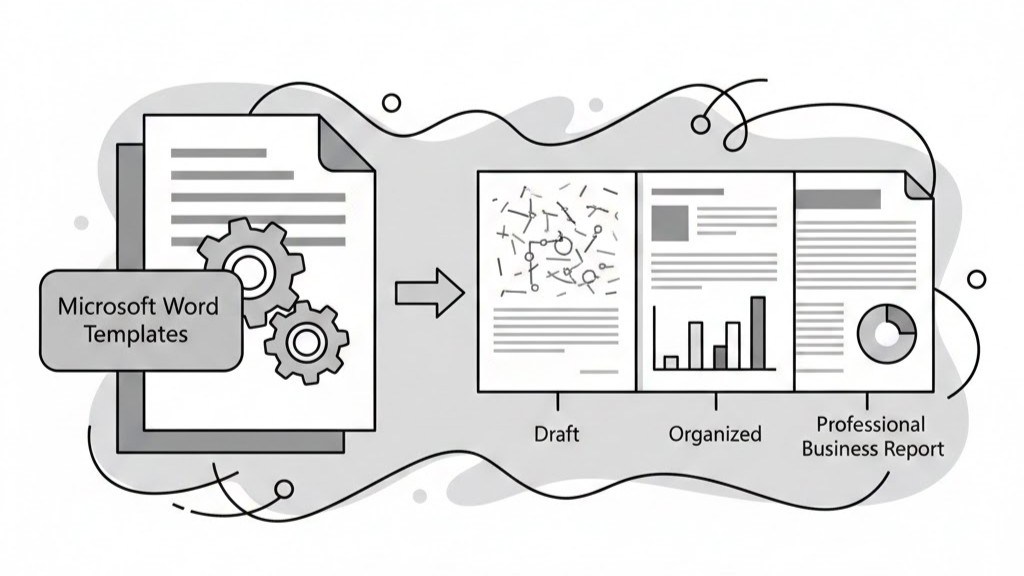
In modern corporate environments, written communication remains the lifeblood of strategic decision-making
Too often, professionals spend countless hours wrestling with margin alignments, inconsistent font hierarchies, stubborn page breaks, and fragmented color schemes rather than focusing on high-value analytical content
Using custom Microsoft Word templates is a strategic solution to these formatting challenges
What Is a Business Report Template in Microsoft Word?
A business report template in Microsoft Word is a pre-designed master file (typically saved in .dotx format) that contains predefined structural, visual, and typographic settings tailored specifically to organizational standards
Unlike standard blank documents (.docx), which require manual styling from scratch every single time, a master template includes embedded document architecture, such as
• Standardized Typographic Hierarchy
• Brand Color Palettes
• Pre-configured Page Layouts
• Structured Tables & Data Callouts
• Interactive Content Control Fields
The goal is to provide a comprehensive structural framework so writers can focus entirely on delivering clear, persuasive content without worrying about layout consistency
Why Microsoft Word Templates Are Important for Corporate Reporting
Many poorly designed business reports suffer from avoidable flaws
Implementing regular, centralized Microsoft Word report templates helps organizations across all industries
• Eliminate Visual Distractions
• Accelerate Document Assembly
• Enforce Brand Compliance
• Improve Visual Hierarchy
• Standardize Multi-author Submissions
Standardizing document architecture through custom templates transforms report creation from an ad-hoc chore into an efficient, repeatable business practice
Streamlining Formatting and Saving Valuable Time
Time spent re-adjusting margins, re-applying bullet formatting, or fixing floating images is time taken away from deep analysis and strategic planning
Custom Microsoft Word templates eliminate these time-sinks through built-in automation features
1. Quick Styles Panel Integration
Instead of manually highlighting text to change fonts, point sizes, colors, and line spacing individually, authors can apply bulletproof, pre-set Quick Styles with a single click
2. Dynamic Headers, Footers, and Page Numbering
Setting up complex headers that skip the cover page, show different content in un-numbered executive summaries, and display automated “Page X of Y” numbering can be tricky
3. Automated Tables of Contents and Figures
Manual tables of contents are prone to page-number errors as content expands
Ensuring Universal Brand Consistency and Executive Polish
Every report distributed to clients, investors, regulators, or board members acts as a direct extension of your corporate brand
When employees create reports from scratch, they often select random fonts, primary colors, or default table designs.dotx templates solve this problem by locking down core visual elements
• Typography Discipline
• Exact Color Palette Matching
• Standardized Cover Pages
• Consistent Graphic Callouts
Improving Content Structure and Executive Readability
High-level decision-makers rarely read long reports word for word from start to finish
Microsoft Word templates facilitate rapid scanning by establishing clear structural patterns across every document
Logical Paragraph & Heading Spacing
Poorly formatted documents rely on manual double-returns to create space between paragraphs, resulting in uneven vertical rhythm across page breaks
Data Visualizations and Table Formatting
Raw numeric tables in default Word formats often look cluttered and uninviting
Enhancing Team Collaboration and Multi-Author Workflows
Major corporate initiatives—such as annual strategy documents, ESG disclosures, or RFP responses—frequently require contributions from subject matter experts across multiple divisions
When all contributors use the same master .dotx file, assembling the final report is seamless
• Seamless Content Merging
• Reduced File Corruption
• Simplified Version Control
Long-Term Benefits of Standardized Word Templates
Deploying tailored document templates yields tangible organizational benefits that extend far beyond simple aesthetic improvements
☑ Higher Operational Productivity
☑ Flawless Brand Uniformity
☑ Reduced Formatting Overhead
☑ Faster Document Publishing
☑ Enhanced Executive Engagement
☑ Improved Data Readability
☑ Frictionless Cross-Team Collaboration
☑ Professional Corporate Reputation
When Should You Upgrade Your Corporate Templates?
Organizations should evaluate and modernize their document template library whenever key operational milestones occur, such as
• Rebranding or Brand Identity Refresh
• Corporate Mergers or Acquisitions
• High Error Rates in Client Deliverables
• System-Wide Software Upgrades
• Scaling Inter-Departmental Projects
Why Custom Corporate Templates Outperform Stock Word Presets
While Microsoft Word includes generic built-in presets, these default layouts rarely meet professional business standards
Custom-built templates offer significant advantages over default options
• Tailored to Specific Workflows
• Embedded Guidance Notes
• Restricted Style Palettes
Conclusion
Microsoft Word templates are far more than simple visual shortcuts—they are essential strategic tools for modern business communication
In an information-dense corporate landscape, well-structured reports ensure critical insights are communicated clearly and persuasively
FAQs
1. What is the difference between a Word document (.docx) and a Word template (.dotx)?
A .docx file is a standard working document where text and images are edited directly
2. How do Microsoft Word templates improve productivity across large teams?
Templates save time by eliminating manual formatting tasks like setting margins, picking fonts, adjusting line spacing, or styling tables
3. Can custom Word templates lock down fonts and brand colors to prevent formatting errors?
Yes
4. How do automated Tables of Contents work in Word templates?
Automated Tables of Contents rely on standardized Heading styles (Heading 1, Heading 2, Heading 3)
5. Can existing Word reports be converted into master templates?
Yes